Why Your Website, Database and API Need a VPS
Shared hosting is fine to start. Once your site takes orders, stores customer data and talks to other services, here's why it needs a VPS, and when it doesn't.
Almost every business website starts on shared hosting. Mine also. And honestly there is nothing wrong in that. Its cheap, the hosting company take care of the server, and if you only have a five page site with a contact form, it works fine.
Problem starts when the business grows. You start taking orders online. You add a proper database. Then one day someone from the team ask, "Can we connect this with WhatsApp?" or "Can the app get data from the website?" And that's when the site starts going slow exactly at sale time, or the hosting company sends you a mail about "high resource usage". Sometimes you find out the hosting cannot even run the thing you want to build.
That's the moment VPS hosting for your website stops being just a technical word. It becomes a business decision. So let me explain it the way I explain to my clients.
First of all, what is a VPS?
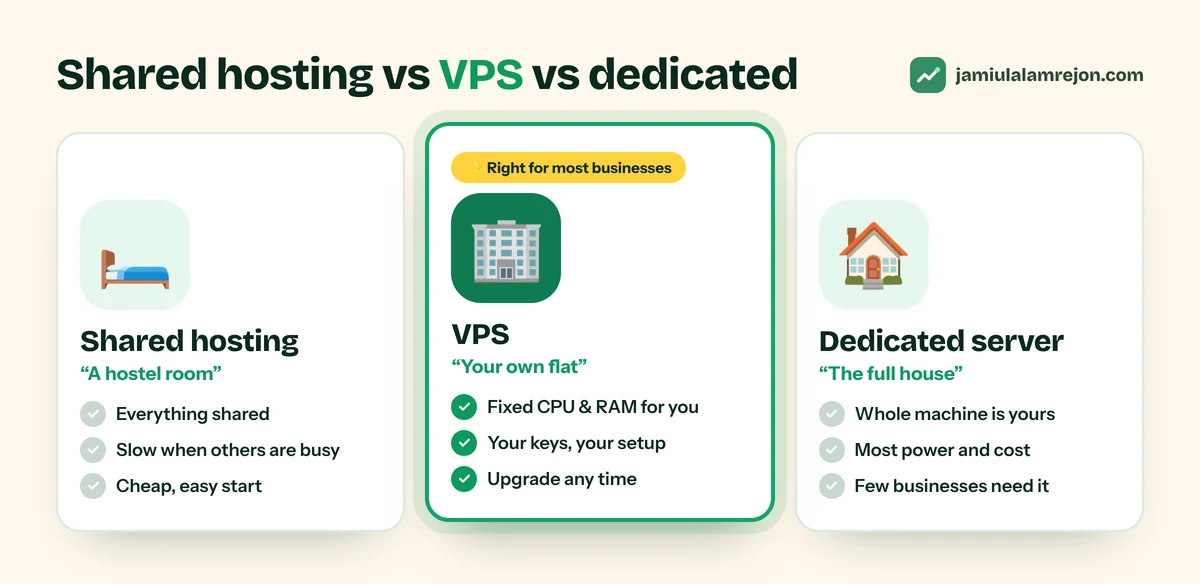
I always give the hostel example. Shared hosting is like a hostel room. You get a bed, ok, but kitchen, bathroom, Wi-Fi everything is shared with the whole floor. If ten people are cooking at the same time, you have to wait.
A VPS, means Virtual Private Server, is more like your own flat in an apartment building. The building is shared but the flat is yours only. Some fixed CPU, RAM and storage is kept aside just for you, and you have the keys, so you can set it up the way you want.
Then there is dedicated server, which is like the full house. Very less small businesses actually need that. For most people VPS is the right middle option.
The website part
Websites today are not just some HTML files sitting in a folder. If your site is made with Next.js, Node.js or Python, basically it's an application that has to keep running day and night. Most shared hosting is made for PHP and WordPress, so these apps either don't run at all, or they run with so many restrictions that you spend more time fighting with the host than building your site.
With a VPS this headache is gone. The resources are only for you, so if some other website is having a busy day, your site don't slow down. You choose the software version and server settings by yourself. You can even pick a data centre near your customers, and the pages load faster for them without you doing anything extra. And when business grows, you just upgrade the plan. No need to shift the whole website to a new host.
The database part
If the website is your shop front, the database is the back office. Every customer, order, booking and invoice is stored there. Shared plans usually give a basic MySQL database with limits on size and connections, and you can't change much.
On a VPS you can run PostgreSQL and set it up properly for your work. Give it enough memory so it answers fast. Tune it for the type of queries your site actually runs. Add extensions when you need, like pgvector for AI search. And the most important thing, you can keep the database fully private. It's not open to internet at all. Only your own website and API can talk to it. You also decide when backups happen and where they are kept, which matters a lot on the day something goes wrong.
The API part
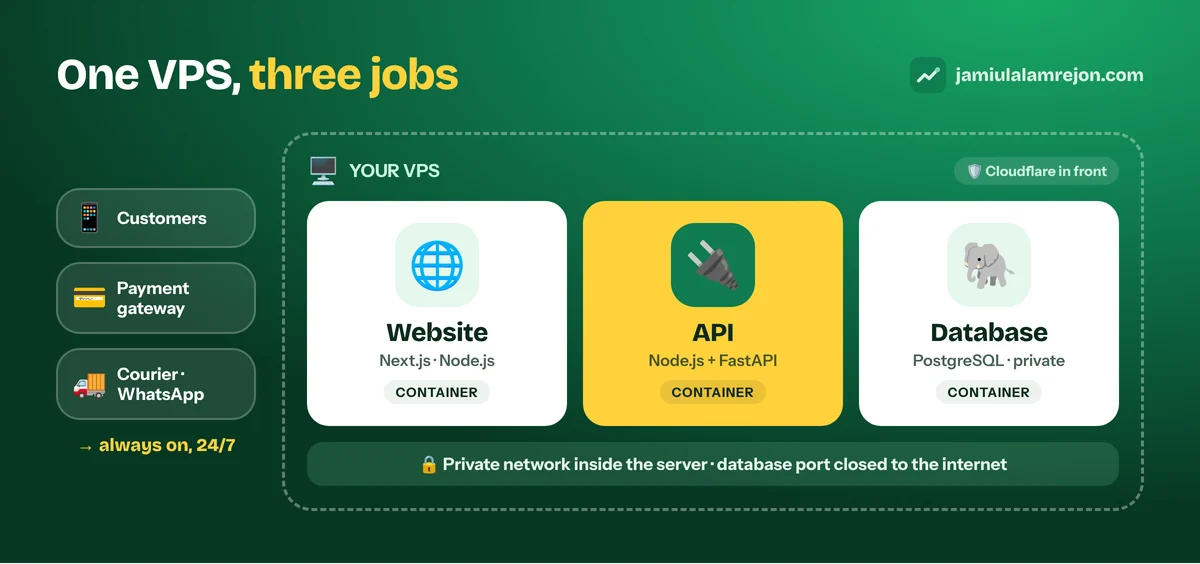
This part people mostly forget. Your API is the thing everything else talks to. Mobile app, payment gateway, courier, WhatsApp, AI service, whatever you connect.
The thing is, an API has to be awake all the time. Payment gateway can send confirmation at 3 in the night. If your API is sleeping, or the host has stopped the process, that update is simply lost. APIs also do lot of work in background, like sending order emails, syncing stock or handling AI requests, and shared hosting normally kills long running processes. If you want live chat or real-time order tracking, you need WebSockets, which most shared plans don't allow.
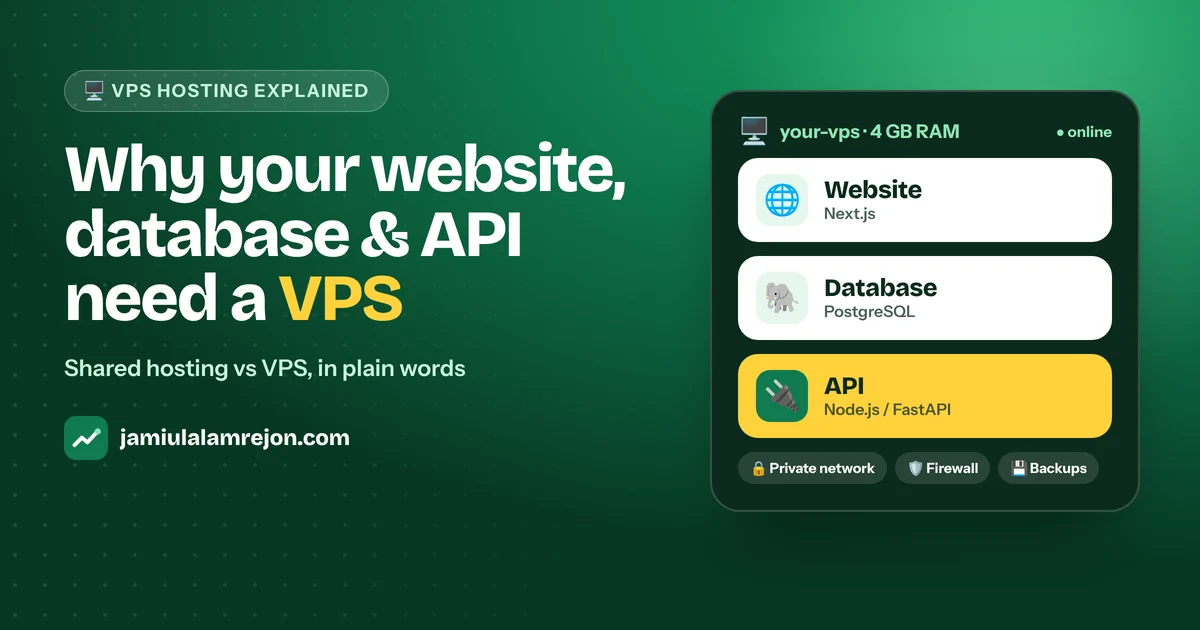
On one VPS, the website, database and API can stay together, talk to each other privately, and you manage everything from one place. You can run a Node.js API and a Python FastAPI service for AI side by side, each one in its own container, without disturbing each other.
What about security?
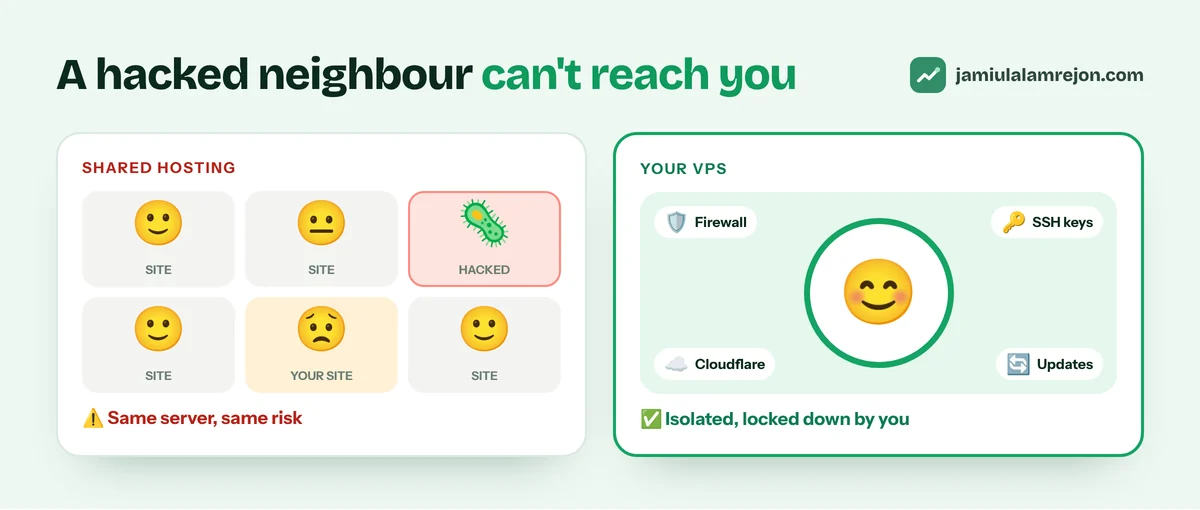
Here is something many people don't know. On shared hosting, if some other website on the same server gets hacked, there is a real chance your site also gets affected. A VPS is isolated. Your neighbour's problem stays with them.
You can also lock it down properly. A firewall that only allows web traffic. SSH keys instead of passwords. A normal user for daily work, not root. Cloudflare in front, so attacks are blocked before they reach your server and your real server IP stays hidden.
But I won't lie, there is one catch. On a VPS nobody updates the server for you unless you set it up like that. That's why I always put automatic security updates, monitoring and a deployment panel from the first day itself. A server should not depend on somebody remembering to login every week.
So, is it costly?
Not as much as people think. A basic VPS often costs almost same as a good shared hosting plan. The real cost is in setup and maintenance. Installing everything, securing it, setting backups correctly and keeping all updated.
Once it's done properly, life becomes much more easy. I use Docker and Coolify to run a Next.js website, a PostgreSQL database and a FastAPI service on the same VPS. SSL renews automatically, rollback is one click, backups happen every day. Pushing an update becomes a two minute job.
When you actually don't need one
If your site is a simple WordPress site or small brochure website, you don't take orders or logins, and there is no app or system that needs an API, then please don't go for VPS just because it sounds more professional. Good shared or managed WordPress hosting will be cheaper and less tension for you. Move when your website starts doing real work for the business.
How to choose one without getting confused
Don't think too much about brand names. Check RAM first. A small Next.js site with PostgreSQL can start with around 2 GB. If you are adding an API, AI features or good amount of traffic, plan for 4 GB or more. Choose a data centre near most of your customers. Take NVMe SSD storage, databases love fast disk. And make sure the provider gives snapshots and lets you upgrade later without moving everything.
If you want a suggestion for where to start, Hostinger VPS is a good option. Every plan comes with NVMe SSD storage and full root access, you can choose a data centre in North America, Europe, Asia or South America, and you get weekly backups plus snapshots. They also have one-click templates, including Docker and Coolify, so you can get the same kind of setup I use without installing everything by hand. Start with a small plan and upgrade from your account when you need more.
Note: the Hostinger link is an affiliate link. If you buy through it, I may earn a small commission, at no extra cost to you.
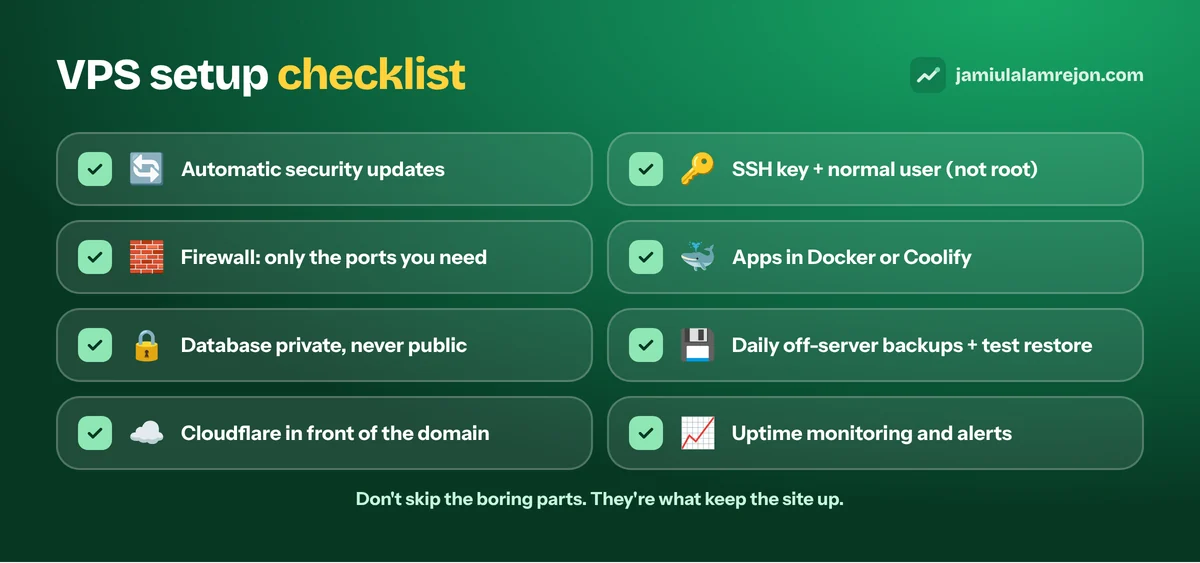
If you are setting up yourself, do one thing, don't skip the boring parts. Turn on automatic updates. Login with SSH key and a normal user. Enable firewall. Keep database private. Setup daily backups stored outside the server and test a restore at least one time. Put Cloudflare in front. Add uptime monitoring so you know about a problem before your customers tell you.
To sum it up
Shared hosting is a good place to start, no doubt about it. But once your website is handling orders, customer data and connections with other services, it needs its own space, freedom to run modern tech and room to grow. A properly setup VPS gives you all three.
Ready to make the move? You can get a Hostinger VPS here and start small.
If you want a second opinion whether you need one, or help to set it up the right way with Next.js, PostgreSQL, a secure API and Cloudflare in front, you can find me at jamiulalamrejon.com. See my web development service too. I will tell you honestly what your site needs right now, and setup only that.