Has Your Website Been Hacked? 9 Warning Signs and What to Do Next
Strange redirects, spam pages on Google or a browser warning? Your website may be hacked. Here are the warning signs, what to do first and how to stop it happening again.
Most small business owners don't find out their website was hacked from a security alert. They find out when a customer says, "Your website sent me to a casino page," or when Google shows a red warning screen.
Hackers rarely target small businesses personally. Automated bots scan millions of websites every day looking for outdated software, weak passwords and vulnerable plugins. If your site has one, it can be found.
9 warning signs your website has been hacked
- Visitors are redirected to spam, gambling, adult or fake "prize" websites, often only on mobile or only when they arrive from Google, so you may not see it yourself.
- Google shows strange results. Search
site:yourdomain.comand look for pages you never created, often in Japanese or full of pharmacy or casino keywords. - Browser warnings like "Deceptive site ahead" or "This site may be hacked".
- A Search Console alert under Security & manual actions.
- Your hosting company suspends your account for malware or for sending spam.
- New admin users you didn't create.
- Unknown files in your hosting, especially
.phpfiles in upload folders. - The site is suddenly very slow or your server usage spikes (it may be mining crypto or sending spam).
- Your domain's emails bounce or land in spam, because your server was used to send spam.
What to do first
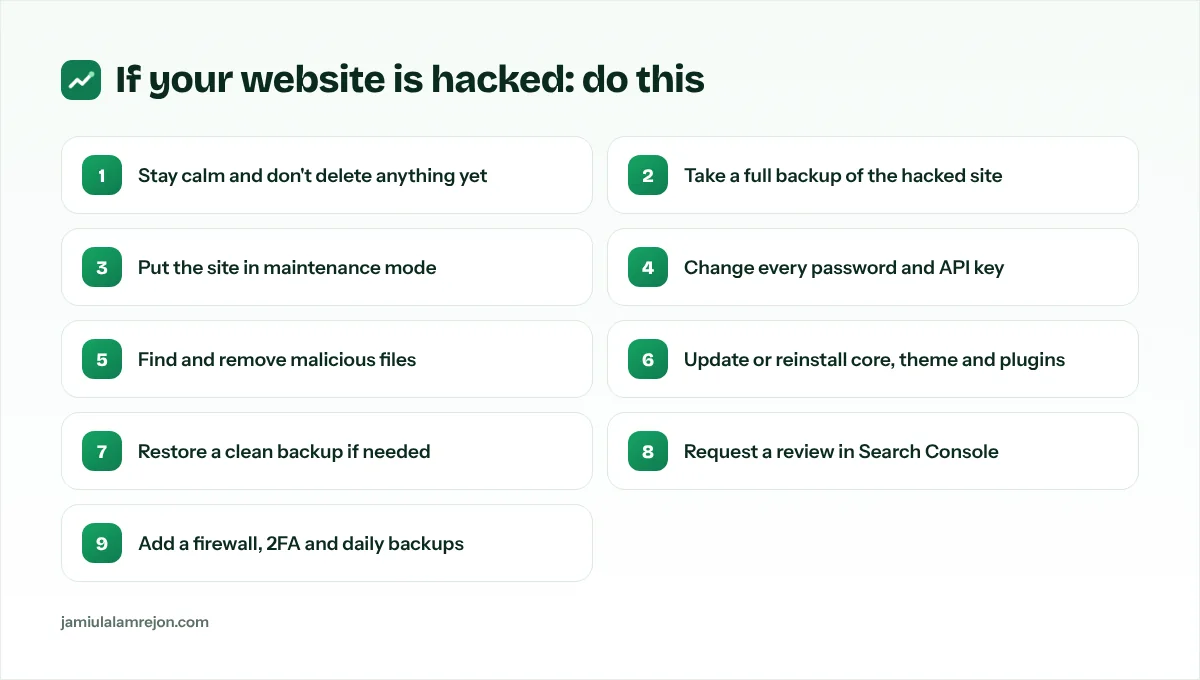
1. Don't panic, and don't delete everything
Deleting files randomly can destroy the evidence you need to find how the attacker got in, and that entry point must be closed or they'll come back.
2. Back up the hacked site
Yes, back up the infected version. You'll need it to compare files and recover content.
3. Change every password
Hosting control panel, website admin, database, FTP/SFTP, email accounts and any API keys. Use long, unique passwords and turn on two-factor authentication wherever you can.
4. Find the cause and clean it
- Update the website platform, theme and every plugin, and delete plugins and themes you don't use.
- Compare core files with a fresh copy and remove anything unknown.
- Check the database for injected scripts and spam links.
- Scan with a malware scanner from your host or a security service.
If you have a clean backup from before the hack, restoring it is often the fastest fix. But you still need to update everything and change passwords, or the same hole will be used again.
5. Ask Google to remove the warning
Once the site is clean, open Search Console → Security issues and click Request review. Explain what you fixed. Reviews often take a few days.
How to stop it happening again
Prevention is far cheaper than clean-up:
- Automatic daily backups, stored off the server, with a tested restore process.
- A web application firewall (WAF) such as Cloudflare in front of your site to block bad bots and attacks.
- Updates every week, or a platform with fewer moving parts. Custom Next.js sites have no plugin ecosystem for bots to exploit.
- Two-factor authentication for every admin account.
- Least privilege: only give admin access to people who need it, and remove old accounts.
- Security headers and HTTPS everywhere.
- Email authentication (SPF, DKIM, DMARC) so nobody can send emails pretending to be you. See our SPF, DKIM and DMARC guide.
You can also keep an eye on your setup with free tools: the DNS Lookup tool shows whether your DNS records still point where they should. Unexpected changes to A, MX or NS records can be a sign of a compromised account.
Need help right now?
If your website is hacked, every hour can cost you customers and Google rankings. I clean hacked websites, close the security holes and set up firewalls, backups and monitoring so it doesn't happen again. See my website security service or contact me for urgent help.